Now on the App Store · For Serious Golfers

Stop Guessing What to Practice.
Start Gaining Strokes.

ShotGain shows exactly where you're losing strokes and what to fix first, from your real data. Add Pro and the AI Caddy shows which club gives you the best play.

Download on the App Store Free on iPhone. No credit card. Pro is optional.
2,400+ Rounds Analyzed
5★ Early Tester Rating
$0 To Download
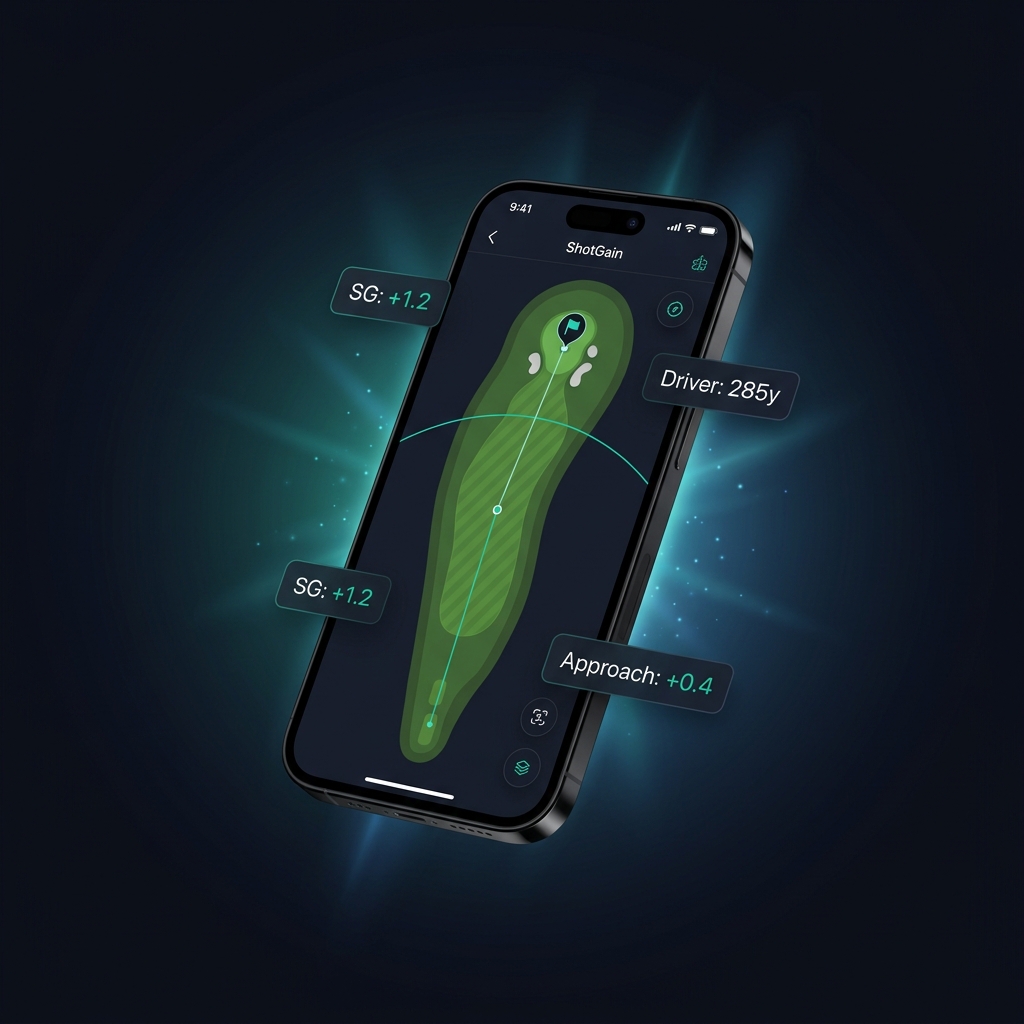
ShotGain GPS Caddy in action
Hole 7 · Par 4 387y
3W +0.31 SG vs Driver
Tee
App
SG
Putt
🤖
+0.31 SG 3W vs Driver · Pro
±
±8.7y Dist σ · 4H
⚠
Biggest Leak 15-25 ft Putts
Scroll to explore
2,400+ Rounds Analyzed
6 Launch Monitors Supported
5 PGA Tour SG Benchmarks
100% Free to Download

Most Golf Apps Track Scores.
ShotGain Shows How to Lower Them.

Find the shots costing you strokes and the practice priorities that will actually move your handicap. Pro adds the club-by-club layer from your rounds: which club to hit, and which clubs gain or cost you strokes across your rounds.

🧠

Practice What Actually Lowers Your Score

ShotGain reads your round data, spots your biggest leak in plain English, and gives you a practice plan ranked by impact. No generic tips. Just what to work on first — updated every round.

AI-generated practice priorities and drills
📋
#1Lag Putting 15-25 ft-0.42 SG
#2Approach 150-175y-0.31 SG
#3Tee Shots Par 4+0.18 SG
#4Chip & Pitch+0.09 SG
AI Practice Priorities — Updated Each Round
📐

See Exactly Where You Lose Strokes

ShotGain uses real PGA Tour baseline tables so you can benchmark your game the right way. Pick the standard that fits you and see exactly where you're giving shots away.

Tee
+0.31
Approach
-0.22
Short
+0.09
Putting
-0.41
🎯

Turn Launch Monitor Data Into Smarter Golf

Import from TrackMan, GCQuad, Mevo+, SkyTrak, FlightScope, and Uneekor for free, and see each club's distance and dispersion. With Pro, that data feeds the AI Caddy's club picks on the course.

TrackMan GCQuad Mevo+ SkyTrak
→
📱 ShotGain
🤖

Choose the Club That Gains the Most Pro

During GPS rounds, the AI Caddy gives you a club and an aim point from your own club distances and, once you've logged or imported shots, your actual dispersion, adjusted for wind. It works on fully mapped holes, and tells you when a hole isn't mapped yet.

Driver +0.49 SG Recommended
3 Wood +0.39 SG
4 Iron +0.12 SG
📊

See the Miss Pattern Behind Every Club

Import your launch monitor or simulator sessions and every club in your bag gets a dispersion profile with distance, lateral spread, and miss tendency, free, so you can stop guessing what "stock shot" really means.

1σ: ±8.2y 2σ: ±16.4y
🔒

Your Data Stays Yours

All data is stored locally by default, with optional cloud backup and CSV export whenever you want it. No ads. No third-party tracking.

✅ Local storage — your phone, your data
✅ Export as CSV anytime
✅ Zero ads, zero tracking
✅ Optional cloud backup

Three Steps to
Smarter Golf

01

Track the Round

Use the GPS caddy during your round to log shots, get distances, and capture the data ShotGain uses to analyze your game.

02

Find the Strokes You're Giving Away

After the round, see your strokes gained breakdown across tee shots, approach play, short game, and putting.

03

Practice the Right Things

ShotGain ranks what to fix first and gives you free guided drills to work on it. Pro adds the SG Practice Coach's scored games and the AI Caddy's club picks.

Tracking Stays Free.
Pro Adds the Caddy.

Track rounds, see your strokes gained, and build your bag's dispersion profile from launch monitor imports, all free, for as long as you like. Upgrade to Pro when you want club-by-club decisions from your rounds.

Feature Free Pro
GPS round tracking✅✅
Round summary, scorecard and strokes gained by category✅✅
Basic stats and trends✅✅
Launch monitor CSV import✅✅
Bag profile: each club's distance, spread and miss bias✅✅
Guided practice drills✅✅
SG Practice Coach scored gamesSpeed ladder only✅
AI Caddy club and aim recommendations—✅
Wind-adjusted caddy—✅
On-course dispersion learning—✅
Strokes gained by club, across your rounds—✅
Deep Dives: distance-band stats—✅
Bag gapping—✅
Price$0$9.99/mo or $79.99/yr

New subscribers get a 7-day free trial of Pro. Cancel anytime in your App Store subscription settings. US prices; the App Store sets the price in other countries. The AI Caddy works during GPS rounds on fully mapped holes.

Built to Help You Lower Scores.
Not Just Track Them.

Feature ShotGain Arccos 18Birdies Grint
Strokes Gained ✅ Free ✅ Premium ❌
GPS Caddy ✅ GPS free · AI Caddy Pro ✅ ✅ ✅
AI Caddy Club Comparison ✅ Pro Partial ❌ ❌
SG Practice Coach ✅ Pro ❌ ❌ ❌
PGA Tour SG Math ✅ Real Tables Partial Premium ❌
Launch Monitor Import ✅ 6 Brands ❌ ❌ ❌
No Hardware Required ✅ Phone Only ✅ Phone mode; sensors optional ✅ ✅
Price Free · Pro $9.99/mo or $79.99/yr $199.99/yr · optional sensors $249.99 Free · Premium $19.99/mo or $99.99/yr Free · Pro $59.99/yr

US list prices from each company's own website or App Store page, checked November 11, 2026.

What Early Golfers
Are Finding

★★★★★

"I found out my 52° wedge was costing me 0.3 strokes per round compared to my 56°. Never would have known without this app."

JR
Jake R. 12 Handicap • Georgia
★★★★★

"Finally — an app that tells me what to actually practice. The biggest leak detection found a 25-foot lag putting issue I had no idea about. Fixed it in two range sessions."

MM
Mike M. 8 Handicap • Texas
★★★★★

"Finally an app that uses ACTUAL strokes gained — not just score tracking. This is how tour pros analyze their game."

SC
Sarah C. 6 Handicap • Arizona

You Lost Strokes Last Round.
Now Find Out Why.

ShotGain shows where you're giving shots away and what to practice next, free on iPhone. Pro adds the AI Caddy's club and aim calls.

Free to download · No credit card · iPhone